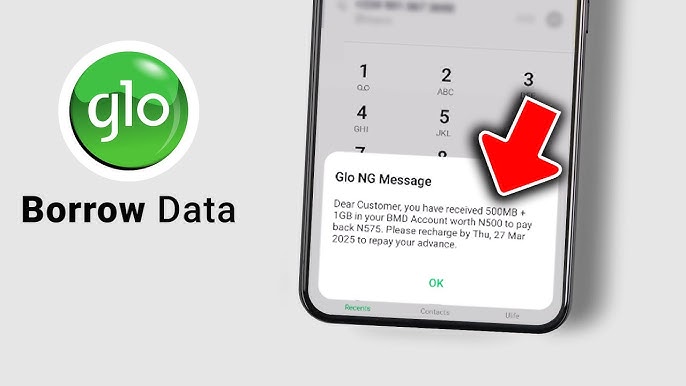
Running out of data at the worst possible moment is something every Glo subscriber has experienced. Whether you are in the middle of an important task or trying to stay connected on the go, Glo's Borrow Me Data service makes sure you are never completely offline. Yes, you can borrow data on Glo and paying it back is automatic on your next recharge. In this blog, you will find everything you need to know about how to borrow data on Glo, including the USSD code, step-by-step methods, eligibility requirements, and more.
Different Methods to Borrow Data on Glo in Nigeria
Glo offers three ways to borrow data, so you can use whichever is most convenient depending on your situation. Whether your data is completely exhausted or you simply prefer one platform over another, all three methods lead to the same result. Your borrowed data will be credited to your account within seconds.
Method 1: Code to Borrow Data on Glo - USSD Code Methods
The fastest and most widely used method is the USSD code. The code to borrow data on Glo is *303#.
It works directly from your phone's dialer without needing an internet connection, which makes it the most reliable option when your data has already run out. You do not need Wi-Fi, a smartphone, or any app installed You just need your Glo line and a working phone.
Here is how to borrow data on Glo using the USSD code:
1. Open your phone's dialer and dial *303#
2. A menu will appear on your screen — select "Borrow Data" from the options
3. You will see a list of available data loan packages based on your eligibility
4. Choose the data plan that suits your needs
5. Confirm your selection when prompted
6. You will receive an SMS confirming that the borrowed data has been credited to your account
7. Your borrowed data will be available immediately after confirmation, and you can start using it right away.
Note: The old code *321# has been replaced by *303# following the NCC's harmonized USSD shortcode directive. Make sure you are using *303# to avoid errors.
Method 2: Via the Glo Café App
The Glo Café app is Glo's official mobile app and offers a clean, straightforward way to access the Borrow Me Data service. This method is particularly useful if you have access to Wi-Fi or a secondary data source and prefer managing your account through an app interface rather than dialing codes.
• Download the Glo Café app from Google Play Store or Apple App Store
• Open the app and sign in with your Glo number
• Navigate to the Borrow Me Data section
• Select your preferred data loan package
• Confirm the request and wait for the SMS confirmation
Once confirmed, the borrowed data is credited to your account automatically, just like with the USSD method.
Method 3: Via the Glo Website
If you are on a computer or have access to Wi-Fi on another device, you can also borrow data directly through Glo's official website without touching your phone's dialer.
• Visit www.gloworld.com/ng
• Log in with your Glo number
• Locate the Borrow Me Data option from the menu
• Select your preferred data loan amount
• Confirm and wait for an SMS alert crediting your account
This method is less commonly used but works perfectly if the USSD code is not responding or you prefer a browser-based experience.
No matter which method you choose, borrowing data on Glo is quick and easy once you meet the eligibility requirements. Whether you prefer using the USSD code, the Glo Café app, or the official website, the process only takes a few minutes and your borrowed data is usually activated instantly. For most users, dialing *303# remains the fastest and most reliable option, especially when there is no internet connection available.
Requirements to Borrow Data on Glo
Before you dial any code or open any app, make sure you meet Glo's eligibility conditions. If you do not qualify, your request will be declined regardless of the method you use. Understanding these requirements upfront saves you time and avoids unnecessary frustration.
To be eligible to borrow data on Glo, you must meet all of the following:
• Active Glo SIM: Your SIM card must be active and registered in your name
• NIN Linked: Your National Identification Number must be linked to your Glo line
• Minimum 3 Months Usage: You must have been a consistent Glo user for at least three months, with a history of regular recharges and data purchases
• Low Account Balance: Your airtime balance must be below ₦100 at the time of the request
• No Outstanding Loan: Any previously borrowed data must be fully repaid before you can try to borrow data on Glo again
If you are a new Glo subscriber or have an inactive line, you may not be eligible until you build a sufficient usage history on the network. The best way to improve your eligibility over time is to recharge regularly and stay active on the network.
Glo Data Loan Plans and Amounts
The data loan packages available to you depend on your usage history and eligibility level on the Glo network. The more consistently you use and recharge your line, the higher the loan amount you can access. Eligible subscribers can borrow up to 2GB or more depending on their account standing.
Here are a few key things to know about Glo's data loan plans:
• Available loan options are displayed automatically when you dial *303# and select Borrow Data — no guesswork needed
• A 15% service charge is applied to every borrowed amount. For example, if you borrow data worth ₦200, you will repay ₦230 on your next recharge
• Repayment is automatic — the total amount including the service charge is deducted the moment you recharge your line
• Borrowed data can only be used for browsing, streaming, and downloading within Nigeria on the Glo network. It cannot be used for calls or international services
• If your recharge amount is less than the total repayment due, Glo will deduct what is available and carry the remainder forward
Since Glo adjusts loan amounts based on individual account activity, always dial *303# to see the exact options available to your line at any given time. And if borrowing feels like a recurring need, there is a smarter way to stay topped up. TradeCard is a gift card trading platform where you can sell your unused gift cards for instant cash and use the wallet balance to buy Glo data directly, no loans, no service charges, no repayment stress.
How to Check Your Balance After You Borrow Data on Glo?
Once your borrowed data is credited, checking your balance before you begin browsing is a good idea. It helps confirm that the transaction was successful and lets you know exactly how much data you have available and how long it will last. This also helps you manage your usage better and avoid exhausting the borrowed data unexpectedly.
There are two quick ways to check your Glo data balance:
• Dial *323# — you will receive an SMS showing your current data balance and validity period
• Open the Glo Café app — your remaining data balance will appear on the home dashboard after login
The USSD method is usually the fastest and works on all phones, even without an internet connection. It is especially useful when your borrowed data is your only available internet source. The Glo Café app, on the other hand, gives you a more detailed view of your active data plans, account information, and other available services.
If your borrowed data does not reflect immediately, wait a few seconds and check again. In some cases, temporary network delays may slow down the SMS confirmation or balance update.
May be in an emergency situation, if you run out of Airtime, Glo allows you to borrow Airtime on Glo also. You can borrow Airtime from any of your friends or family having Glo network.
Conclusion
Borrowing data on Glo is straightforward once you know the right code and what to expect. Whether you use the *303# USSD code, the Glo Café app, or the Glo website, the process takes less than a minute and keeps you connected when it matters most. Just make sure you meet the eligibility requirements and keep track of the 15% service charge so there are no surprises on your next recharge.
That said, borrowing data is best treated as a temporary fix for those urgent moments. If you want a more reliable way to fund your Glo data without borrowing, TradeCard is the best app to sell gift cards in Nigeria. You can convert your unused gift cards into wallet cash and use it to recharge your line anytime, on your own terms.
FAQs
1. What is the code to borrow data on Glo?
The code to borrow data on Glo is *303#. Dial it from your Glo line, select "Borrow Data" from the menu, and choose your preferred data package. The old *321# code has been replaced following the NCC's harmonized shortcode update.
2. How much data can I borrow on Glo?
The amount depends on your usage history and eligibility. Active and consistent Glo subscribers can borrow up to 2GB or more. The exact options available to your line are displayed when you dial *303#.
3. How long does it take for borrowed Glo data to be credited?
Borrowed data is typically credited to your account within seconds of confirming your request. If there is a delay, wait a moment and check your balance by dialing *323#.
4. How is Glo borrowed data repaid?
Repayment is automatic. Once you recharge your Glo line, the borrowed amount plus the 15% service charge is deducted immediately. You do not need to manually initiate any repayment.
5. How do I check my eligibility to borrow data on Glo?
Dial *303# and attempt to borrow data. If you are eligible, the available loan packages will be displayed. If not, you will receive a message stating that you do not qualify. Eligibility is based on SIM activity, usage history, NIN linkage, and outstanding loans.
6. Can I borrow data on Glo for someone else?
Yes. Glo's "Borrow For Others" feature allows eligible subscribers to request a data loan on behalf of a friend or family member. This option is available within the same *303# menu.
7. Is there another way to borrow data on Glo besides the USSD code?
Yes. You can also borrow data through the Glo Café app (available on Google Play Store and Apple App Store) or through the Glo website at www.gloworld.com/ng.