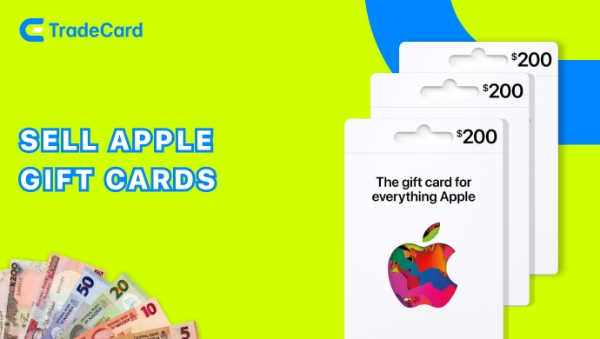
A $100 Apple gift card to Naira rate is usually between ₦100000 to ₦250000 in Nigeria.
On TradeCard today, an Apple gift card $100 converts to ₦129,913.01 for physical cards and ₦129,913.00 for e-codes.
TradeCard is one of the best app to trade gift cards in Nigeria with over 500K+ downloads and a 4.25 Google Play Store rating.
Are you ready to convert your $100 Apple gift card to Naira? Download TradeCard from Google Play Store or download from App Store now.
What Can You Use a $100 Apple Gift Card For?
A $100 Apple gift card can be used for many purposes. These are some of the common ways people use them.
Entertainment & Subscriptions:
• Unlimited Apple Music, Apple TV, Apple Books+
• Podcast subscriptions
Apps, Games & In-Game Content:
• Paid iOS apps and Game purchases and in-app credits
• Fortnite V-Bucks, Genshin Impact Primogems, Call of Duty battle passes
Device & Account Services:
• 50GB–2TB iCloud+ storage upgrades and AppleCare extended warranty plans
• Device repairs and replacements
$100 Apple gift card funds 6–10 months of streaming or covers seasonal battle passes and character upgrades for multiple games. However, if you don't use Apple services regularly, converting your card to Naira on TradeCard is the better move.
What Affects the Value of $100 Apple Gift Card to Naira?
Your $100 Apple gift card's value in Naira shifts daily, sometimes hourly. Here's what drives those changes.
| Factor | How It Affects Your Rate |
| USD/Naira Exchange Rate | • Dollar strengthens → rates rise • Naira strengthens → rates dip |
| Platform Margins | • Each platform sets its own margin above FX • Some may show higher and some very lower. TradeCard offers competitive rates |
| Card Type | • Physical cards: higher resale value • E-codes: faster but lower rates |
| Buyer Demand | • Holidays and sales seasons give better rates • Low demand creates lower rates |
| Region Restrictions | • US/international cards generally give better rates • Region-locked cards give lower rates |
How to Check the Current Rate of $100 Apple Gift Card to Naira on TradeCard?
If you are trading your 100 Dollar Apple gift card, the most important thing is to know, how to check its current rate. Use TradeCard's rate calculator to see the live rate at the moment you're selling gift cards. Here is how you can check the rate.
• Open the TradeCard app and log in
• Tap the "Sell gift card" on screen
• Select "Apple Gift Card" from the gift card list. Choose your card's region (usually "United States"), select the "$100" denomination, pick your card type: "Physical Card" or "E-Code"
• View your live rate: ₦129,913.01 (physical) or ₦129,913.00 (e-code). Rates update continuously throughout the day as market conditions change. You can check as many times as you want.
The entire process takes under 30 seconds. Your rate is locked in only when you tap "Confirm Sale."
Things You Need for Selling $100 Apple Gift Card to Naira on TradeCard
Before you list your $100 Apple gift card, have these check lists ready with you:
✅ Your $100 Apple gift card (physical or e-code)
✅ A smartphone (iOS or Android)
✅ TradeCard app installed and active account
✅ Active internet connection (WiFi or mobile data)
✅ Bank account details (for withdrawal after sale)
✅ Clear photo of the scratch panel (if physical card)
✅ Email access (to copy e-code if selling digital cards)
If you have these necessities with you, you can confidently sell you Apple gift card $100 without any interruptions.
How to Sell $100 Apple Gift Card to Naira on TradeCard?
Selling your $100 Apple gift card on TradeCard takes less than a minute from start to finish. Here's exactly how it works.
Step 1: Download and Open TradeCard
Step 2: Navigate to Sell Gift Cards
Step 3: Select Apple Gift Card
Step 4: Choose Your Denomination and Card Type
Step 5: Upload Your Card Details
• For physical cards: Take a clear photo of the scratch panel area. T
• For e-codes: Enter or paste the full redemption code exactly as it appears in your email.
Step 6: TradeCard Verifies
Step 7: Review Your Rate and Confirm
Step 8: Receive Payment
Every withdrawal is protected by your Secure Transaction PIN. You need to have a Secure Transaction PIN for cash withdrawals.
How to Set Up PIN for Withdrawing Cash After Selling $100 Apple Gift Card on TradeCard?
• Go to your profile → Settings → Security → Set Transaction PIN
• Create a unique 4-digit code (avoid obvious numbers)
• Confirm by entering it twice
• Save
Your PIN protects every withdrawal, even if someone accesses your account, they can't move your money without this code. Set it up before your first withdrawal.
How to Withdraw Cash After Selling $100 Apple Gift Card to Naira on TradeCard?
After your Apple gift card $100 is verified and payment settles, your Naira lands in your TradeCard wallet. Here's how to get it to your bank account.
1. Open TradeCard and go to "My Wallet."
2. Tap "Withdraw" or "Transfer to Bank."
3. Select your withdrawal amount and choose your bank from the list of supported banks.
4. Enter your account number and confirm your bank details.
5. Enter your Secure Transaction PIN to authorize the withdrawal.
6. Confirm the withdrawal request. You'll receive a confirmation notification immediately.
Once you confirm the withdrawal, TradeCard processes it instantly. Funds typically appear in your bank account within a few hours, depending on your bank's processing time. There are more than 155K active transactions happening every month on TradeCard.
Tips to Avoid Getting Rejected When Selling $100 Apple Gift Card on TradeCard
Most rejections happen because sellers skip verification steps. Run through this checklist when you are about to sell Apple gift cards in Nigeria.
Do's
• Check your balance before uploading
• Take a clear, well-lit photo of the scratch panel
• Copy the e-code exactly from your email
• Confirm your card region
• Upload within 24 hours of decision to sell
• Verify the card is unused and original
• Use your correct bank account for withdrawal
Dont's
• Don't upload a partially used card
• Don't submit blurry or dark photos
• Don't add spaces or edit the code
• Don't assume all cards are region-unrestricted
• Don't wait weeks, card validity can be questioned
• Don't try to sell cards you've already partially redeemed
• Don't enter a different account than your ID matches
Why TradeCard is the Best App to Sell $100 Apple Gift Card to Naira?
Among many gift card trading platforms in Nigeria, people still choose TradeCard to sell highly value cards like Apple gift cards. These are the reasons why.
• Fastest Settlement in the Market — Your money after trading will land in your wallet in under a minute. No waiting for hours or days is needed on TradeCard.
• Highest Trust Rating — 500K+ downloads and 5 Star Ratings on Google Play Store. More Nigerians trust TradeCard than any other platform.
• Secure Every Withdrawal — Your Secure Transaction PIN protects your earnings. Even if someone accesses your account, they can't move your money without this 4-digit code only you know.
• Competitive Rates, No Surprises — TradeCard is a platform that gives the highest gift card rates. No hidden deductions or charges are there at withdrawal.
• Instant Verification — Your card is verified in seconds. If you sell now, you can get paid now.
• Withdrawal to Any Bank — Transfer to GTBank, Access Bank, Zenith, UBA, or any Nigerian bank. Funds arrive within hours.
• Pay Bills Instantly — Use your TradeCard wallet to pay for airtime, data, electricity, TV subscriptions, betting, and more.
• Buy eSIMs — TradeCard eSIM is specialized for Nigerians travelling abroad. Buy travel eSIM from TradeCard easily in minutes.
FAQs
1. Do physical and e-code $100 Apple gift cards have the same value?
Not always. Physical Apple gift cards often have slightly higher resale values than e-codes because they generally carry a lower fraud risk. TradeCard displays separate live rates for each card type.
2. How long does it take to sell a $100 Apple gift card on TradeCard?
Selling a $100 Apple gift card usually takes less than a minute. Once your card is verified and you confirm the trade, your Naira is credited to your TradeCard wallet, after which you can withdraw it to your bank account.
3. Why does my $100 Apple gift card rate change?
Gift card rates change due to factors such as the USD to Naira exchange rate, buyer demand, card region, card type, and overall market conditions. Checking the live rate before selling helps you get the most accurate value.
4. Is it safe to sell my $100 Apple gift card on TradeCard?
Yes. TradeCard uses a secure verification process, and every withdrawal is protected with a Secure Transaction PIN. This helps keep your earnings safe throughout the transaction.
5. What do I need before selling a $100 Apple gift card?
You'll need your unused Apple gift card, a TradeCard account, a smartphone with internet access, and your bank account details. If you're selling a physical card, you'll also need a clear photo of the scratch panel.
6. Can I withdraw my money after trading on TradeCard to any Nigerian bank?
Yes. After your trade is completed, you can withdraw your Naira from your TradeCard wallet to your preferred Nigerian bank account by confirming the transaction with your Secure Transaction PIN.
Conclusion
On TradeCard, your $100 Apple gift card converts to ₦129,913 and you receive it in under a minute with full security. Whether you're selling a physical card or an e-code, the process is the same. Upload, verify, receive payment. From the moment your card is verified to the moment you withdraw to your bank account, TradeCard keeps the process fast, transparent, and protected by your Secure Transaction PIN.
Don't leave money sitting in unused gift cards. Download TradeCard and start selling your gift cards today.