Gaming has become more than just entertainment; it’s a world where digital transactions are part of the experience. Among these, the Razer Gold gift card has become a popular choice for gamers looking to top up their accounts, access exclusive content, or gift fellow players. If you’ve received or purchased a Razer Gold gift card, redeeming it correctly is essential to access your funds without hassle.
n this comprehensive guide, we’ll walk you through each step of redeeming your Razer Gold gift card, from entering the code to troubleshooting common issues. Beyond that, we’ll explore smart alternatives for those who may not plan to use the card immediately.
Let us check how you can safely convert unused Razer Gold gift cards into cash or other valuable options. By the end, you’ll not only understand the redemption process but also discover how to maximize the value of your gift card effortlessly.
What Makes Razer Gold Gift Cards Unique?
Razer Gold gift cards stand out from standard gift cards because they are deeply integrated into the broader Razer gaming system offering more than just a way to fund your gaming purchases. The heart of this is the Razer Gold Wallet, paired with Razer Silver, a loyalty points system that rewards gamers for every transaction.
Here are the key features that make Razer Gold gift cards special:
• Secure Transactions: Funds are stored in a protected digital wallet, giving you peace of mind while purchasing games or in-game content.
• Wide Usability: Razer Gold works with thousands of supported games across multiple platforms, offering flexibility unmatched by typical gift cards.
• Razer Silver Rewards: Every purchase earns loyalty points (Razer Silver), which can be redeemed for exclusive items, in-game perks, or other rewards.
• Cross-Platform Flexibility: Unlike cards tied to a single store or device, Razer Gold can be used across multiple gaming platforms without needing a credit card.
Understanding these unique features not only guides you through the redemption process but also helps you make the most of your card’s value. And if you ever find yourself with an unused card, platforms like TradeCard allow you to safely convert it into cash or other gift cards, ensuring that no Razer Gold goes to waste.
How to Prepare to Redeem Razer Gold Gift Card?
Before you enter your gift card code, taking a few preparatory steps can save you time, prevent errors, and make the redemption process smooth and hassle-free. Skipping this stage is one of the main reasons users run into avoidable issues.
Here’s what you should have ready:
• A Registered Razer Gold Account: Only active, verified accounts can receive funds from a gift card. Make sure your account is properly set up before attempting redemption.
• A Stable Internet Connection: Since the process happens online, any interruptions or slow connections can cause errors or incomplete transactions.
• A Valid Gift Card Code: Check that your code is whether a digital e-code or a physical card and is correct and unused. Accuracy here is crucial for successful redemption.
• Matching Account Region: Your Razer Gold account region must match the region of your gift card. Regional mismatches are one of the most common reasons gift card redemptions fail.
Ensuring all requirements are in place not only prevents frustration but also guarantees that your card’s value is applied correctly. Once you’re set up correctly, you can move seamlessly into the actual redemption process.
How to Redeem Your Razer Gold Gift Card?
With your account and gift card ready, you’re now set to redeem your Razer Gold gift card. Following each step carefully ensures a smooth, error-free process and helps you access your funds immediately.
Step 1: Visit the Official Razer Gold Website
• Always use the official website to avoid fraudulent sites and ensure security.
Step 2: Sign in to Your Account
• Enter your login credentials. If you don’t have an account, creating one is fast and free.
Step 3: Access the Wallet Reload Section
• Locate the Reload Now option to add funds using a gift card.
Step 4: Choose “Razer Gold Gift Card”
Select the gift card option from available methods to proceed.
Step 5: Enter Your Gift Card Code Carefully
• Type the code exactly as shown, paying attention to letters, numbers, and any special characters.
Step 6: Confirm Redemption
• Click confirm. Your wallet balance should be updated instantly, and you may receive a notification or confirmation email.
How to verify Your Razer Gold Gift Card Redemption?
After redeeming your Razer Gold gift card, it’s essential to confirm that the process was successful. Verification ensures that your funds are safely credited and allows you to plan your next steps.
Here’s how to verify your redemption:
• Check Your Razer Gold Wallet Balance:
Log in to your account and confirm that the redeemed amount reflects in your wallet. This is the quickest way to ensure your card was applied correctly.
• Review Your Transaction History:
Your wallet’s transaction log will show a recent entry corresponding to the gift card redemption, including the value and date. This provides a clear record of the successful top-up.
• Look for a Confirmation Email:
Razer typically sends an email notification confirming that your gift card has been redeemed. Keep this email as proof in case of any discrepancies.
Confirming your redemption reassures you that the funds are available for use. If for any reason your card isn’t credited, such as a region mismatch or an invalid code, you still have options.
How to Fix Razer Gold Redemption Issues?
Even with careful preparation, you may occasionally encounter problems when redeeming a Razer Gold gift card. Understanding common issues and knowing how to resolve them ensures you don’t lose access to your card’s value. Here are practical solutions:
1. Double-Check Your Code
Mistyped codes are one of the most frequent causes of failed redemptions. Make sure you enter the code exactly as it appears, avoiding extra spaces or hidden characters from copy-pasting.
2. Verify Account Region Matches Card Region
A mismatch between your Razer Gold account region and the gift card’s region is another common issue. Confirm that both are aligned before attempting redemption again.
3. Wait and Retry
Temporary website maintenance or server issues can sometimes block redemptions. If you encounter an error, wait a few minutes and try again.
4. Contact Razer Support
If the problem persists, Razer’s support team can help resolve issues related to account verification, gift card validity, or technical errors.
5. Confirm Authenticity for Third-Party Purchases
If you purchased your card from a third-party seller, ensure its legitimate. Fraudulent or previously used cards will not be redeemed successfully.
What If You Don’t Want to Use Your Razer Gold Gift Card?
Not every gamer or gift recipient intends to use a Razer Gold gift card for games or in-game purchases. Sometimes you might receive multiple cards, prefer cash over gaming credits, or simply want flexibility in how you access your card’s value. In these situations, letting the card sit unused would mean losing its potential benefit. But there’s a practical solution that ensures your card is never wasted.
Convert Your Razer Gold Gift Card to Cash with TradeCard
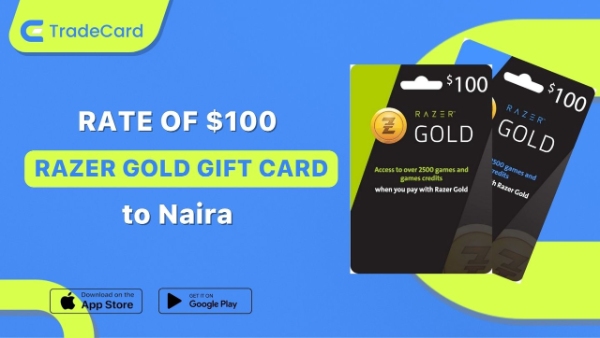
TradeCard provides a safe and convenient platform to convert your unused Razer Gold gift card into instant cash. Instead of letting the card remain unused, you can utilize its full value immediately and use the funds however you want.
Here’s why TradeCard stands out as the best app to sell gift cards in Nigeria:
• Fast Transactions and Payouts: Once your card details are submitted, TradeCard processes the conversion quickly so you can access your funds almost instantly.
• Competitive Rates: TradeCard ensures you get one of the best cash values for your gift card, maximizing what you can receive without any hidden fees.
• Secure and User-Friendly Platform: TradeCard is designed for safety and simplicity, allowing even first-time users to trade their cards with confidence.
• Supports Multiple Gift Card Types: Beyond Razer Gold, TradeCard accommodates a variety of popular gift cards, making it a versatile solution for anyone with multiple unused cards.
With TradeCard, your unused Razer Gold gift card always holds tangible value. Whether you’re looking for quick cash, want to reinvest in other cards, or simply prefer flexibility, this platform makes it easy to turn digital credits into real-world benefits without the hassle of in-game redemption.
Conclusion
Razer Gold gift cards offer a simple and secure way to access digital gaming content but making the most of them comes down to using them wisely. Whether you’re adding funds to your gaming wallet or exploring other ways to benefit from your card, understanding your options ensures you never miss out on its full value.
For those who prefer flexibility beyond gaming, having the ability to turn unused gift cards into something more practical makes a real difference. That’s where TradeCard becomes a valuable solution, giving you the freedom to convert your card into cash quickly and securely.
If you have a Razer Gold gift card you’re not planning to use, now is the perfect time to take action. Visit TradeCard today for gift card trading and turn your unused gift card into real value without any hassle.
Frequently Asked Questions About Razer Gold Gift Card Redeeming
1. How to redeem Razer Gold gift card?
To redeem a Razer Gold gift card, log in to your Razer Gold account and go to the “Reload” section. Select the gift card option and enter your code carefully. Once you confirm, the balance is instantly added to your wallet. Make sure your account region matches the card to avoid errors.
2. How long does it take to redeem a Razer Gold gift card?
Razer Gold gift card redemption is usually instant. Once you enter and confirm your code, the balance is credited immediately to your wallet. In rare cases, server delays may cause slight delays. Always check your wallet balance and transaction history for confirmation.
3. Can I redeem a used Razer Gold gift card?
No, once a Razer Gold gift card has been redeemed, it cannot be used again. If you see an “already redeemed” error, the code has already been applied to another account. In such cases, you should contact the seller or Razer support for clarification.
4. Can I convert my Razer Gold gift card to cash?
Yes, you can convert your Razer Gold gift card to cash using trusted platforms like TradeCard. This is useful if you don’t plan to use the card for gaming. The process is quick, secure, and gives you real value instead of leaving the card unused.
5. Can I transfer my Razer Gold balance to another account?
No, Razer Gold wallet balances cannot be transferred between accounts. Once redeemed, the funds remain in your account. If you need flexibility, consider selling the gift card before redeeming it. This helps you avoid limitations.