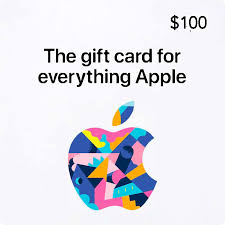
To sell Apple gift card, the safest way is to use reputable and trusted gift card trading apps that connect sellers with buyers quickly and securely. We know many of you have been searching on Quora, Reddit, or other forums trying to figure out the best approach, only to end up more confused. In this guide, we’ll break it down for you step by step, showing where and how can you sell your gift cards safely, get paid fast, and avoid Apple card scams. Follow along and see how simple selling your Apple gift cards can really be!
Where to Sell Apple Gift Card for Cash Safely?
We have already mentioned the safest way to sell Apple gift card for cash. But, if you are not sure about which gift card app you can actually trust, you’re not alone. The market is full of options. But not all of them deliver the speed, security, and convenience you really need. That's why we built TradeCard.
You won't find another gift card trading app in the market thats secure to sell gift card as TradeCard. Here's what TradeCard brings to the table when it comes to easing your trading process as compared to other gift card trading apps.
Easy to Navigate Interface
The interface of TradeCard reflects seamless navigation. Every feature is clearly labelled, especially for the gift card section. You can easily land on the "Sell Gift Cards" option without switching between multiple pages.
Reward Features on TradeCard
On TradeCard's dashboard, you'll find some reward features. If you are wondering about how these are linked with converting Apple gift cards to cash. Here is the reason: you can also earn extra money using Spin & Win and Refer & Earn features while selling your Apple gift card online instantly.
Fast Transactions
Being a reputable gift card exchange app on the market, we make sure that you get your payout on time. The transaction process on TradeCard is fast & secure.
Steps to Convert Apple Gift Card to Cash on TradeCard
Many Nigerians want to convert Apple gift card to cash urgently, especially when they need cash. But they don't know where & how to start. It's because they have already tried a lot of gift card trading apps in the market. Many are afraid that due to tricky steps or selecting anything wrong can make them lose their money. But this is not the case with the TradeCard! Let's see how!
Step 1️⃣
Creating your account or logging in on TradeCard is super-easy. Many other apps require too many personal details. Users often give up before even starting.
Step 2️⃣
The TradeCard dashboard puts everything in one place. Features are clearly labelled & distinguished. You can go straight to the "Sell Gift Card" page. On other apps, users have to switch between multiple menus, but this is not the case with TradeCard.
Step 3️⃣
The "Sell Gift Card" page on TradeCard is specially designed for the selling process. Many apps mix this page with other services that can cause delays or confusion during the trading process.
Even if you select the wrong gift card, you can easily change it from the same page. Don't need to go back and start over again. That's the good thing about TradeCard that you can make changes right away without any delay.
Step 4️⃣
When you select the currency, you'll see a list of currencies labelled with their country's symbol. That's a plus point for the new traders who have never sold Apple gift cards before.
Step 5️⃣
In the next step, you need to select the denomination. Select the denomination range and in the next step, you can enter your gift card amount. Right after entering this amount, you'll see trade terms that differentiates the rate between physical & e-code cards.
Step 6️⃣
You can check the live rate right after entering the gift card rates. You'll get the same rate when you complete your trading process without any hidden fees. But this is not the case with other apps charging extra verification or transaction fees.
Step 7️⃣
Some apps have confusing uploading processes for gift card images with repeated attempts and unclear instructions. But on TradeCard, uploading the image of your Apple gift card is a very simple process. Users need to upload a clear Apple gift card image.
Step 8️⃣
After uploading the gift card image, you can click on "Start Trade" to initiate the trading process.
Step 9️⃣
On other apps, the transaction process can even take days & weeks. But on TradeCard, after the verification process, you'll receive your payment in your TradeCard account within minutes.
Things To Remember While Selling Apple Gift Cards
Here is a list of some important things that you need to remember to sell Apple gift card for cash online;
Before Selling
⚠️ Never Go For Unverified Platforms
As mentioned earlier, always choose gift card trading apps that are safe and secure to sell Apple gift cards . Converting your Apple gift card to cash on social media is one of the primary sources of scams. Make sure that you use the platforms with transparent policies and good reviews.
💵 Always Verify Your Balance
Don't assume that you have enough balance in your Apple gift card. If you are low on balance, it can cause delays during the trading process. Always check your Apple gift card balance before initiating the trading process.
📝 Research on Current Market Rates
Apple gift card rates vary as per market trends and demands. Keep an eye on discounts, promotions and holidays seasons as gift card rates are likely to increase during this period.
🎁Keep Your Apple Gift Card in Good Condition
Before selling your Apple gift card online instantly, make sure that it remains in good condition. Keep your PIN covered and don't scratch the coating until you are actually ready to sell. There should be no stains or tears covering the important parts of the card
🏦 Double Check Your Bank Details
Before initiating the trade, make sure that you have entered the correct bank details. Typos here can cause your money to get stuck or may delay your trading process.
During Trading Process
❌ Never Share Your Code First
If you are not using any gift card trading app to sell Apple gift card online instantly. Then, in other ways, like social media & peer-to-peer trading, never share your code until you are sure that the platform is secure and verified
✅ Enter Correct Card Details
Double check the card details like currency, code & amount you enter during the trading process. If you enter the wrong information, it will cancel or delay your selling process.
💸 Check For Service Charges
When any gift card trading app shows you the live rate. Be very careful with any app that asks you to pay an "upfront fee" or a "verification deposit" to start a trade.
🖼️ Upload a Clear Apple Gift Card Image
Make sure that you upload a clear gift card image. To sell Apple gift card without any delay, it's important that the image should be visible & readable.
After Selling Apple Gift Card
🧾Save All Payment Receipts
After completing your trading process, keep the following information safe as evidence;
- Chat logs
- Transaction History
- Payment receipt
🚨 Report Scams Immediately
If you suspect you've been scammed, immediately report the issue to the gift card issuer like Apple. Keep your payment proofs (like screenshots) and share with Apple support team if they ask for it.
FAQ's
- How to sell an Apple gift card in Nigeria?
You can sell Apple gift card in Nigeria using reputable gift card trading platforms like TradeCard.
2. Is selling Apple gift card for cash safe on TradeCard?
Yes, TradeCard is a secured & verified gift card trading app. It's the #1 choice of Nigerian traders when it comes to selling Apple gift cards.
3. How can I check my Apple gift card balance?
You need to login to your Apple account. Tap on your profile. You can see your Apple gift card balance there.