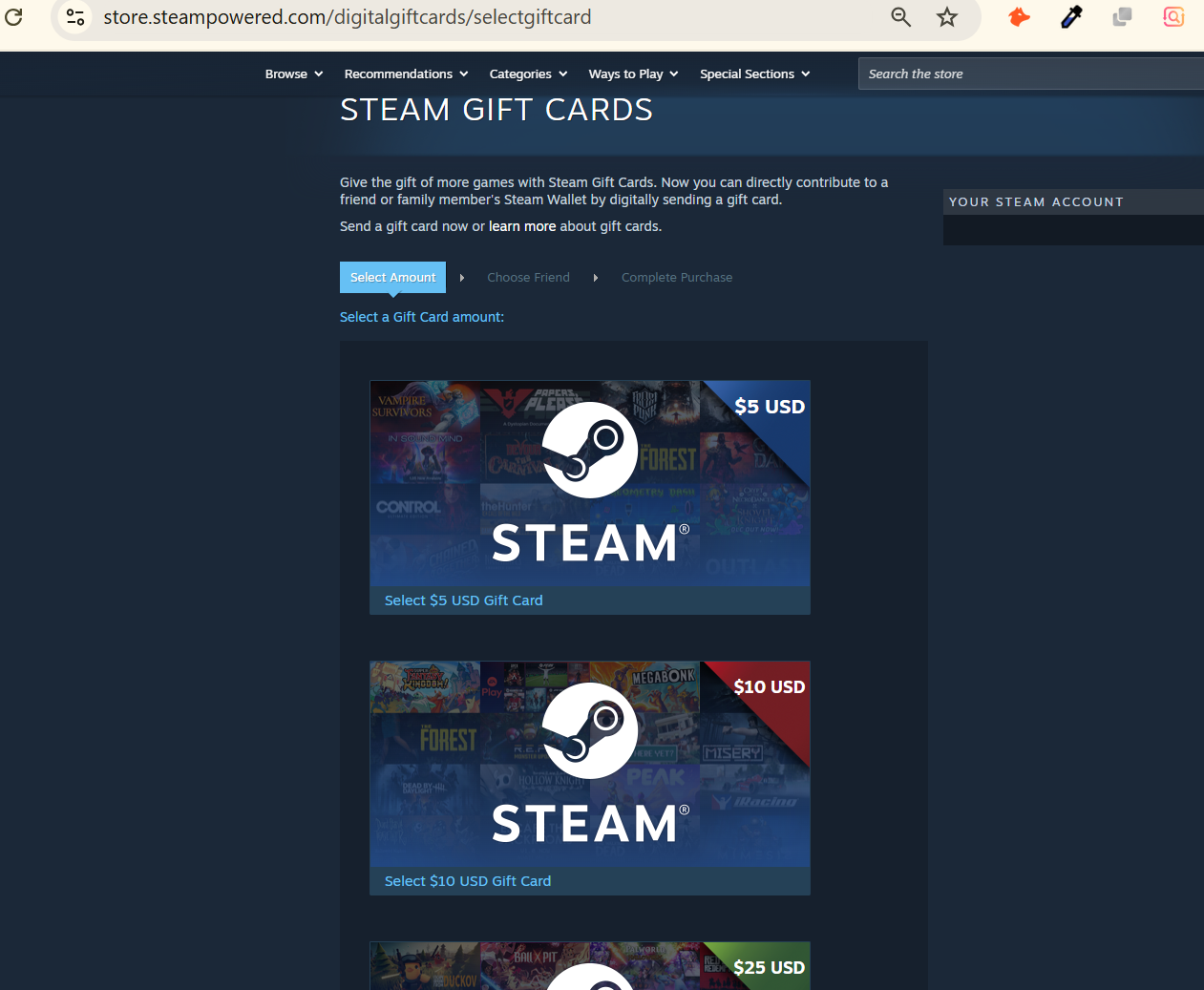
What Is a Steam Gift Card?
A Steam Gift Card is a prepaid code that adds money to your Steam Wallet. You can use that balance to buy games, DLC, in-game items, and even some hardware on Steam.
Once you redeem the code, the balance stays on your account for good. It doesn't matter which device you're on. Log in from Windows, Mac, Linux, or the Steam mobile app, and it's right there.
That's really the key thing to understand. The value belongs to your account, not to the card or the device you used to redeem it. Once it's in, it behaves exactly like money you added any other way.
What's the Difference Between Physical Steam Gift Card and Digital Code?
Every Steam gift card works the same way once you get down to it. You're redeeming a 15-character code, whether it came in a box from a store or landed in your inbox after an online order. The card itself is just packaging for that code.
Still, the two formats aren't identical in practice.
| Physical (Retail) Card | Digital Code (E-Code) | |
| How it's sold | Plastic card with code hided | Sent by email |
| Proof of purchase | Printed receipt | Order confirmation email |
| Delivery | Bought in store or shipped | Instant |
| Verification | Faster | Takes a bit more scrutiny, |
Both redeem the same way once you have the code. The difference only comes up if you're checking a card's authenticity or thinking about selling it later.
What Are the Different Steam Gift Card Denominations?
Not every Steam gift card is worth the same amount, and the amount you choose usually depends on what you plan to do with it. Steam gift cards come in a set of fixed amounts. Each one tends to suit a different kind of purchase.
| Denomination | Typical Uses | Naira Rate (TradeCard) |
| $10 | Small indie games, single DLC packs | Check current rate |
| $20 | Mid-range games, in-game currency top-ups | Check current rate |
| $25 | Popular AAA discounts, small bundles | Check current rate |
| $50 | Full-price new releases | Check current rate |
| $100 | Several games at once, or a bigger wallet top-up | Check current rate |
You can also send a custom amount as a gift straight from your Steam account. Retail cards, the ones you'd pick up in a store, only come in the fixed amounts above. Whichever amount you end up with, it works the same way once redeemed, just at a different scale.
Where Can You Buy Steam Gift Card in Nigeria Safely?
Buying a Steam gift card sounds simple, but the source you buy it from decides whether it actually works at all. Where your card comes from decides whether the code actually works. This matters more than almost anything else.
1. Valve's official Steam store. Buying a wallet code through your own account is the safest bet. It's tied to you and works right away.
2. Authorized retail stores. Walmart, Best Buy, Target, and GameStop all sell genuine Steam cards, and staff can check if the packaging hasn't been tampered with.
3. Authorized online retailers. Amazon's official listings and other trusted sellers carry real digital codes. Just check the seller's rating first.
Places You Should Avoid Buying Steam Gift Cards in Nigeria
• Random Discord sellers or "key resellers." A lot of Steam scams start here, often with codes that are stolen or already used.
• Marketplace listings with no seller history. A code that looks fresh might already be claimed.
• Unofficial "cd-key" sites. Many of these codes come from stolen payment cards, and Valve revokes them after activation. You end up with nothing.
• Prices that seem too cheap. A $50 card at a fraction of its worth is a warning, not a deal.
Sticking to the trusted sources above takes only a little extra care, but it saves you from losing money on a code that never works in the first place.
How Do You Redeem Steam Gift Card in Nigeria?
Once you have a genuine code in hand, actually adding it to your account only takes a couple of minutes.
1. Reveal your code. Scratch the panel on a retail card or open the email for a digital code.
2. Open Steam. Use the desktop app or steamcommunity.com in a browser, and make sure you're signed in.
3. Go to wallet redemption. Head to Steam, then Account Details, then Add Funds to Your Steam Wallet, then pick "Redeem a Steam Wallet Code."
4. Type in the code. Enter all 15 characters exactly as shown, without adding any spaces.
5. Confirm. Steam adds balance to your wallet right away.
6. Check it worked. Go back to Account Details and you should see the new balance.
7. From here, the balance is ready to spend on anything the Steam store offers, with no extra steps needed.
Can You Use A Steam Gift Card from Any Country in Your Account?
This is one question that trips up more people than almost anything else about Steam gift cards, and it's worth answering clearly.
No, and this is probably the biggest source of confusion around Steam gift cards. Your Steam Wallet's currency is set by the country your account was first registered in, and you can't change it later. A card in US dollars adds USD to a USD wallet. It simply won't work on a wallet running a different currency.
So a card bought or gifted from a different region than your account might fail to redeem, even if the code itself is completely genuine. Before you use or buy a Steam gift card, check that its currency matches your account's wallet currency. You can see your wallet's currency right on the Add Funds page inside your account.
Getting this one detail wrong is the most common reason a perfectly valid code refuses to redeem, so it's always worth the ten seconds it takes to check.
Do Steam Gift Cards Expire?
No. A Steam gift card code has no expiry date, and neither does the balance once you redeem it. You could sit on an unused code for years and it would still work fine.
That said, holding onto a card isn't completely risk-free just because it never expires. The longer it sits around, in an inbox, on a piece of paper, or on packaging that could get damaged, the more chances there are for something to go wrong before you ever get to use it. There's no clock ticking down, but there's still a reason not to leave it lying around forever.
If you know you're going to use or sell it eventually, there's little upside in waiting, since nothing about the card improves with time.
How Do You Check Your Steam Wallet Balance?
Before spending or selling gift cards, it helps to know exactly how much you have sitting in your wallet.
Open the Steam client or website and go to Account Details. Your current balance shows right at the top, next to your currency. It works the same whether you're on a desktop, laptop, or the mobile app.
One thing worth knowing: you can only check a balance that's already been redeemed. A code that's still sitting unused won't show any balance until you actually add it to your account.
Checking this regularly is a good habit, especially if you're planning a purchase or thinking about selling off part of your balance.
Can You Transfer Steam Wallet Balance to Another Account?
No. Once you redeem a code, that balance is locked to your account for good. You can't send it to a friend, split it between two of your own accounts, or combine two accounts into one.
The one exception is Steam Family Sharing, which lets family members use each other's game libraries under certain conditions. It's a separate feature though, and it doesn't work like transferring wallet cash. If your plan was to redeem a card and pass the value to someone else, the code is your only option, and only before you redeem it.
Once that code is redeemed, whatever balance it created stays exactly where it landed, with no way to move it elsewhere.
Can You Sell a Steam Gift Card for Cash?
Not everyone who ends up with a Steam gift card actually wants to use it on Steam, and that's a perfectly common situation.
Yes. If you don't plan to use a Steam gift card, maybe someone gave it to you, or it came as a work bonus, or you just don't play PC games, you can sell it instead of letting it sit there unused. Gift card trading platforms buy Steam codes directly, so you don't need to redeem anything first.
What you get paid depends on a few things: the denomination, whether it's a physical card or a digital code (physical usually pays a bit more, for the reasons already covered above), and the card's region.
Selling it takes a few minutes. On TradeCard, here's how it goes:
1. Download the app, from the Google Play Store or the App Store, and set up your account with your phone number and email.
2. Tap "Sell Gift Card" and pick Steam.
3. Enter your card's denomination, format, and region.
4. Upload your code. Take a clear photo of the scratch panel for a physical card, or paste the code for a digital one.
5. Wait for verification. TradeCard checks that the code is genuine, unredeemed, and matches the right region.
6. Confirm your payout. Your Naira lands in your wallet right away, and you can withdraw to your Nigerian bank account within hours.
Once you've done it once, the whole process feels routine, and there is no real reason to let an unused card sit around instead.
What Are Common Steam Gift Card Scams?
Steam gets targeted a lot for gift card scams. Codes are easy to send and hard to trace once they're out there, which makes them attractive to scammers. Knowing what these scams look like ahead of time is the best protection you can have, since most of them follow the same handful of patterns.
• "Double your wallet funds" offers. Anyone who says they can multiply your balance through a trade or third-party site is lying. There's no real way to do this.
• Fake Steam login pages. Links sent through Discord or email that look like Steam's real site are there to steal your login, not to verify anything.
• Buyers who want to "check" your code before paying. Once someone has your code, they have no reason left to pay you.
• Deals that seem too good, from accounts with no history. A great price for a total stranger with no track record is usually a sign to walk away.
Once you can recognize these patterns, most scam attempts become easy to spot before they cost you anything.
How Do You Avoid and Stay Safe From Steam Gift Card Scams?
Recognizing a scam is one thing. Building habits that keep you out of one in the first place is even more useful.
| Stage | What to Do |
| Before redeeming or selling | Keep your code to yourself until you're actually ready to use it. Never paste it into a chat, a Discord server, or a "verification bot" before a trade is done. |
| On your account | Turn on Steam Guard so a stolen password alone can't get into your wallet or your items. |
| When trading or selling | Only share your code with a verified platform or someone with a real, trusted history. Never with a stranger who just wants to "take a look" first. |
A simple rule works well here: real buyers pay first, and real platforms never need your Steam password to buy a gift card off you. Just the code. Following that, one rule alone rules out almost every scam pattern circulating around Steam today.
FAQs
1. Can I use a Steam gift card on multiple devices?
Yes. Once you redeem it, the balance sits on your account, not on any one device. Log in from Windows, Mac, Linux, or mobile, and it's there.
2. Can I check my Steam Wallet balance before redeeming a code?
No. A code only shows a balance once you've added it to your account. You can check your existing balance anytime under Account Details.
3. Does the currency of my card matter if I want to redeem it myself?
Yes. If the card's currency doesn't match your wallet's currency, it usually won't redeem. Check your wallet's currency on the Add Funds page before you buy or use a card.
4. Why do physical Steam cards sometimes pay more than digital codes when selling?
Physical cards come with a receipt, which makes fraud less likely during checks. Digital codes are easier to screenshot or resell, so the rate usually reflects that extra risk.
5. How long does it take to sell a Steam gift card on TradeCard?
Verification usually finishes within a few minutes, and your Naira lands in your wallet as soon as the card clears. Bank withdrawal typically follows within hours.
6. Do Steam gift cards expire?
No. Neither the code nor the balance once redeemed comes with an expiry date.
Conclusion
Steam gift cards look simple on the surface, but a few details, like currency lock and format differences, end up mattering a lot once you actually try to use or sell one.
A Steam gift card holds its value for as long as you have it, whether that's a few weeks on a shelf or a few years in your inbox. The real question is what you want to do with it. Redeeming it is simple once the currency matches your account, and if you'd rather not use it at all, selling it works just as well.
If you're holding a Steam gift card you don't plan to redeem, TradeCard turns it into Naira in a few minutes, with funds ready to withdraw within hours.
Download TradeCard today and convert your Steam gift card to Naira with instant verification and zero hidden fees. New users get a ₦2,300 welcome bonus on their first trade.
Download from Google Play Store or Download from App Store