A $200 Razer Gold gift card converts to ₦225,331.00 for physical cards and ₦209,690.00 for e-codes on TradeCard right now.
TradeCard is Nigeria's fastest-growing gift card trading platform with over 500K+ downloads and a high five-star rating, making it the trusted choice for converting gaming credits to cash.
High-value cards like $200 require a different approach than smaller denominations. Settlement is faster, verification is more thorough, and your payout represents significant money for most Nigerians.
Ready to convert ₦225,331 to your bank account? Download from Google Play Store or download from App Store. Remember new users get a ₦2,300 welcome bonus on their first trade.
| 📲 Download TradeCard — Nigeria's Best-Paying Gift Card Trading App ⬇ Android — Google Play | ⬇ iOS — App Store Trade now, earn ₦2,300 welcome bonus on your first trade. |
|---|
How to Use TradeCard's Live Calculator to Convert $200 Razer Gold Gift Card to Naira?
Before you make a decision to sell Razer gold gift cards, use TradeCard's rate calculator to see your exact payout. This transparency means you're never surprised by the final amount.
Using the Rate Calculator:
• Open the TradeCard app and log in.
• Tap "Sell Gift Card" on the home screen.
• Select "Razer Gold" from the list.
• Choose "United States" as the region.
• Select "$200" as the denomination.
• Pick your card type: "Physical Card" or "E-Code."
• View your live rate: ₦225,331.00 (physical) or ₦209,690.00 (e-code)
• The rate you see is the rate you get—no WhatsApp quotes, no last-minute changes after verification.
Unlike competitors that ask you to "send card details on WhatsApp first," TradeCard shows the exact amount upfront. For a high-value trade, certainty matters.
How to Sell $200 Razer Gold on TradeCard in Under 60 Seconds?
When you are selling Razer gold gift card $200, the entire process of downloading TradeCard App to receive Naira in your wallet takes less than five minutes. Here's the exact path.
Step 1: Download TradeCard
Download from Google Play Store or download from App Store.
Create your account with your phone number and email.
Step 2: Tap "Sell Gift Card"
Step 3: Select Razer Gold
Step 4: Choose Your Denomination and Card Type
• Select $200 as the amount.
• Then choose whether you have a Physical Card or E-Code.
Step 5: Upload Your Card Details
• For physical cards: Take a clear, well-lit photo of the scratch panel showing the card number and PIN. Make sure the image is sharp and legible—image quality matters more on high-value cards.
• For e-codes: Enter or paste the full redemption code exactly as it appears in your email. Do not add spaces or edit the code.
Step 6: TradeCard Verifies Instantly
Step 7: Review Your Rate and Confirm
You'll see your exact payout: ₦225,331.00 (physical) or ₦209,690.00 (e-code). Confirm the trade and you're done.
Step 8: Receive Payment
Your Naira is credited to your TradeCard wallet immediately. From there, you can withdraw to any Nigerian bank within hours.
Why Choose TradeCard to Sell $200 Razer Gold to Naira?
Among hundreds of gift card trading apps in Nigeria, 500K+ traders choose TradeCard specifically for high-value cards. Here's why.
1. Exact, transparent rates. Most platforms show vague ranges, like "₦200K–₦260K." TradeCard shows you the precise rate upfront: ₦225,331.00 (physical) or ₦209,690.00 (e-code). For a high-value trade, that certainty is critical.
2. Fastest settlement in the market. Your $200 Razer card verifies within minutes. Once verified, your Naira is credited to your TradeCard wallet instantly. You can then withdraw to your bank within hours.
3. Highest trust rating. Over 500K downloads and five-star reviews across Google Play and iOS App Store. More Nigerians trust TradeCard than any competitor because we deliver on our promises consistently.
4. Secure Transaction PIN protection. Every withdrawal requires your unique 4-digit PIN. Even if someone accesses your account or steals your phone, they can't move your wallet balance without this code only you know. This two-layer security (password + PIN) is why TradeCard is the best app to sell gift cards in Nigeria.
5. Zero hidden deductions. The rate you see is the amount you receive. No verification fees. No processing charges. No surprise deductions at withdrawal. Complete transparency.
6. Withdrawal to any Nigerian bank. Transfer your ₦225K to GTBank, Access Bank, Zenith and other main Nigerian banks.
Additional features beyond gift card trading on TradeCard
• Pay bills instantly—airtime, data, electricity, TV subscriptions, betting sites
• Buy eSIMs for international travel (TradeCard's own eSIM product, specialized for Nigerians traveling abroad)
• Track your transaction history and earnings in one dashboard
Why $200 Razer Gold Gift Cards Fetch Higher Rates Than Smaller Denominations?
Higher denominations often earn better rates because of stronger demand and lower processing costs.
• Bulk demand from serious gamers. High-value cards are in demand among gamers who regularly buy premium content and in-game items.
• Lower platform overhead per dollar. Verification costs stay the same regardless of card value, allowing better payouts on larger cards.
• Reduced fraud risk. Higher-value cards are generally seen as lower risk, which helps increase exchange rates.
• Supply scarcity. Unused $200 Razer Gold cards are less common, so limited supply helps push rates higher.
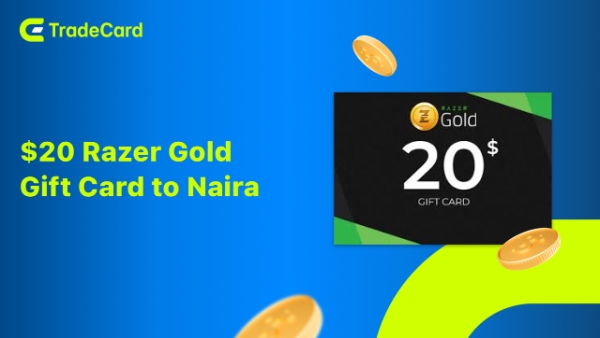
Why a $20 Razer Gold Gift Card May Get Rejected When Selling?
Rejections are uncommon on TradeCard, but they can happen if the card details cannot be verified. Knowing the most common reasons can help you avoid delays.
• Card Already Used or Partially Redeemed – The gift card has already been redeemed or has an insufficient balance. Check the status or redeem Razer gold gift card
• Blurry or Illegible Photo (Physical Cards) – Important details such as the code or serial number aren't clearly visible.
• Incorrect Code Entry (E-Codes) – The code was entered incorrectly or contains missing characters.
• Wrong Region Selected – The uploaded card region doesn't match the actual Razer Gold card.
• Card Reported or Flagged – The card has been marked as invalid or suspicious by the issuer.
Most rejections can be resolved by correcting the issue and uploading the correct card details. Double-check everything before submitting to enjoy a faster payout.
How to Avoid Rejections When Selling $200 Razer Gold Gift Card to Naira?
A few simple checks before uploading your card can greatly improve the chances of instant verification and payment.
✅ Check Razer Gold card balance before selling.
✅ Take clear photos in good lighting if you're selling a physical card.
✅ Copy and paste e-code details directly to avoid typing errors.
✅ Select the correct card region during submission.
✅ Upload your card as soon as possible after deciding to sell.
Following these best practices helps ensure a smooth verification process, allowing you to exchange your $200 Razer Gold gift card for Naira without unnecessary delays.
FAQs
1. Why do $200 Razer gold physical cards pay more than e-codes?
Physical cards are easier to verify and carry lower fraud risk, so platforms offer better rates. E-codes can be copied or shared more easily, which adds verification complexity.
2. Do rates of $200 Razer gold gift cards differ based on card regions (US, UK, etc.)?
Yes, significantly. US-issued Razer Gold cards fetch the best rates because they're easiest to redeem globally. UK, Canada, and other regions have lower rates. Always confirm your card's region before uploading.
3. What do I need to upload for a physical $200 Razer gold gift card?
Take a clear, well-lit photo of the scratch panel showing the card number and PIN. The image must be sharp and legible—poor quality causes rejection.
4. What happens if my $200 Razer gold gift card gets rejected?
You'll receive a notification explaining why (blurry photo, wrong region, partially used balance, etc.). Your card details are returned, and you can resubmit or contact support to appeal within 24 hours.
5. How do I check my Razer Gold balance before selling?
Log into your Razer account on razer.com or the Razer app, navigate to "Account Balance" or "Wallet," and verify the full $200 is available. Always check before uploading.
6. Can I split my $200 Razer gold gift card into smaller denominations to sell separately?
Yes, but it adds friction. Two uploads, two verifications, two withdrawals instead of one. Rate-wise, there's no penalty; your total payout is roughly the same.
7. Do I pay any fees when selling or withdrawing on TradeCard?
No. TradeCard charges zero trading fees, verification fees, or withdrawal fees. The rate you see (₦225,331 physical / ₦209,690 e-code) is exactly what you receive.
8. What should I do if I have a problem with my trade?
Contact TradeCard's support team through the app. They respond to all queries within 24 hours and can investigate rejections, rate disputes, or withdrawal delays. Your issue will be resolved quickly.