Millions of people around the world are using Apple Gift Cards to buy several Apple products, apps, and music. But just imagine, you want to redeem your card but it shows Apple gift card error like "already redeemed" or "card not activated". Your excitement faded right away because of these errors. But don't worry! In this blog, I am going to cover everything related to these Apple card errors and how to fix these issues! Let's get started
1. Invalid Apple Gift Card
My friend last night was facing this issue regarding "invalid Apple gift card". He was saying that Apple's system is showing the same message that your code is not valid. I understood the issue and helped him to resolve this. Here are some causes and steps that you can also follow to write these;
Causes of Invalid Apple Gift Card Error
1. There are often some typing mistakes that we make with similar characters like 'G' and '6. Other characters may be 'U' and 'V'.
2. Those cards that are bought from websites that are unauthorized can also cause this invalid Apple gift card error.
3. Also, remember that Apple Gift Cards are region-restricted, so trying to redeem a card outside its designated region can cause it to show as invalid
How to Fix an Invalid Apple Gift Card Error?
After explaining all the causes to my friend, he was just saying one thing . I know that this issue is temporary, but what's the solution?? Here are the solutions!
1. Make sure to always enter the gift card code manually. The second option is that you can also use the scan option with the camera. This will automatically scan the code.
2. Mostly, people get activated Apple gift cards, but at your end, make sure that your gift card is activated by the retailer. Keep the proof of the receipt as well.
3. The other solution is that you can try opening the Apple's website in the different browser if it is not working. You can also try it using a different device. That's exactly the case with my friend. His device has some storage or cache issues. He used another device and his issue got fixed.
4. If all of the solutions are not working, you can also support the Apple contact team as well with all the proofs, like receipt you get from the retailer, gift card images and the serial number (optional)
2. Apple Gift Card Already Redeemed
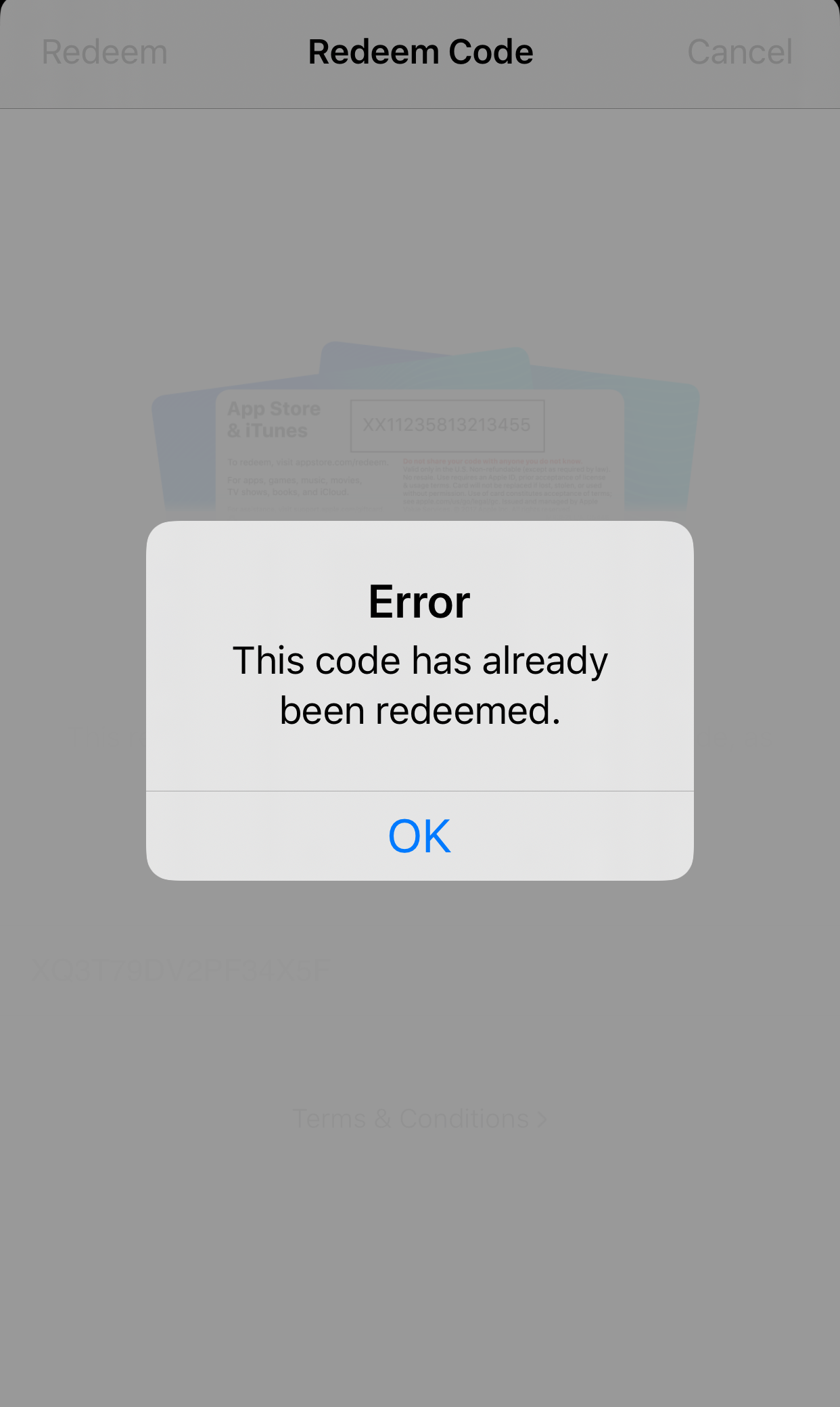
My friend faced the above issue, but what if you are facing other Apple gift card errors. Let me cover all those for you. The next common error is "Apple gift card already redeemed", especially in the case when you never used the card once.
Causes of "Already Redeemed Error"
1. The first reason is that maybe someone else has used this card even before you get the card. It can happen in both cases whether you have bought an Apple gift card or received it as a gift.
2. Another case is that you might have used it but forgotten.
3. There can be some technical issues as well that can cause this error.
How to Fix This Issue?
1. Check your Apple gift card balance first or history of transaction if you have used the card before or not
Note: This is also an important step that you need to check while trading your gift card on any gift card trading platform.
2. Contact the retailer or the person who gave you the card about its usage
3. Finally, you can contact the Apple support team if your issue is not resolved.
3. Apple Gift Card Not Activated
Another Apple card error is the "Apple gift card not activated". If your card is not activated, you can face the activation error and also "invalid Apple gift card error". This all happens at the point of purchase
Causes of Activation Error
Let say, you have bought a $100 Apple gift card and its not working due to activation error. Here are some causes;
1. The card might not be activated at the time of purchase. Make sure to check the activation status before checkout
2. It can also happen if you have bought the card from any unverified sources
3. Backend errors from Apple's website can also cause this error.
How to Fix This Issue?
1. Verify the activation status of the retailer. If you don't have proof receipt, this issue might remain unsolved.
2. If you are trying to redeem your card multiple times, don't do that. If it is not working, you can wait for sometime and then you can try again
3. Supporting Apple's team will only work if you have proof, otherwise you won't be able to overcome this issue!
Apple Gift Card Region Restriction Error
One of the most common Apple card errors is the region restriction error. People often think that if they have a US-based Apple gift card, they can even redeem it in the UK, which is not possible.
Causes of Region Restriction Error
1. Apple gift cards are region-locked and can only be used where the card was purchased
2. Some sellers never highlighted the region of the card which can cause difficulty for the user later on.
3. if you have relocated to the new place, but your Apple's ID is linked to the previous account, it can also cause this error.
How to Fix This Error?
Here are the solutions to fix this Apple card error!
- Update Apple's ID settings right away and change your region and billing address when relocated somewhere else.
- If you can successfully contact your retailer, check if he can swap or change the card.
Risks You Can Encounter if Apple Card Errors Goes Unsolved
- If you don't address the issue quickly, you can lose the value of your card. In case you have solved that issue and want to sell your Apple card. You should find a best app to trade your gift card to get the best rate.
- If you are entering the wrong codes again and again, your Apple ID can be locked temporarily. It can delay your other purchases linked with your Apple account
- Not having the proof or receipt can make you lose all the money. Apple doesn't refund the cards if they are already used or invalid.
- Besides losing your card value, your personal information can also gets leaked as well. Make sure that you buy the card from the official buyers.
- Those physical cards that have been bought from different countries may take a lot of steps and time to recover.
FAQ's
1. Why is my Apple gift card not working?
Your Apple gift card not working can happen if the card is invalid, already redeemed, not activated, or restricted to a different region. Checking the code and purchase source usually resolves it.
2. What does "invalid Apple gift card" mean?
An invalid Apple gift card means the system does not recognize your code. This can happen due to typing errors, buying from unauthorized sellers, or using a card in the wrong region.
3. How do I fix the "already redeemed" error?
Check your gift card balance, verify previous usage, contact the retailer, and reach out to Apple Support if needed to resolve the Apple gift card error.
4. How to fix region-restricted Apple cards?
Redeem the card in the correct regional storefront, update your Apple ID billing address if you moved, or request a swap from the retailer.
5. Can typing mistakes cause Apple gift card errors?
Yes, typing errors like confusing G and 6 or U and V can trigger an invalid Apple gift card error. Always double-check your code.
6. What happens if I enter the wrong Apple gift card code multiple times?
Repeatedly entering the wrong code can temporarily lock your Apple ID. Be careful when redeeming to avoid Apple card error issues.
7. Can technical glitches cause Apple card errors?
Yes, backend or sync issues on Apple's system can make a card appear invalid, not activated, or already redeemed, resulting in Apple gift card error.