If you are planning to travel and need a flexible way to stay connected, you may come across the term eSIM. Many people ask, “What is an eSIM and how does it work?”especially if they are used to physical SIM cards.
An eSIM (embedded SIM) is a digital SIM that is built directly into your device. Instead of inserting a physical SIM card, you activate a mobile network by scanning a QR code. This allows you to connect to mobile networks, switch carriers, or use international data plans without changing or inserting a SIM card.
Using an eSIM makes the life of travelers easier but many users get confused about which is the best eSIM. To solve this problem for Nigerian travellers, TradeCard has launched its eSIM in Nigeria for travel. TradeCard users can now buy, activate & use eSIMs in 180+ countries instantly from their app. Now, if you are thinking about how does an eSIM works & how to activate an eSIM in Nigeria, continue reading this blog!
You can also visit these links to download the TradeCard App
- https://apps.apple.com/ng/app/tradecard/id6741837940
- https://play.google.com/store/apps/details?id=com.tradecards.appname&hl=en
How Does an eSIM Work?
Now that we’ve covered what an eSIM is, let’s look at how an eSIM actually works in real life.
An eSIM works like a digital version of a physical SIM card. Instead of inserting a plastic SIM into your phone, your device already has a built-in, reprogrammable chip. This chip stores your mobile network details and connects you to a carrier.
When you buy an eSIM data plan, you don’t receive a physical card. Instead, the network provider sends you an eSIM profile, usually as a QR code or activation link. Once you scan or install it on your device, the eSIM downloads the data plan and connects you to the mobile network within minutes.
Step-by-Step Process of How an eSIM Works
Here’s how the eSIM process typically works from start to finish:
- Choose an eSIM data plan You select a plan based on your location, usage needs, or travel destination. Many eSIMs like TradeCard eSIM work in multiple countries, making them ideal for travel.
2. Install the eSIM on your device After purchase, you install the eSIM by scanning a QR code or following simple on-screen instructions. No physical SIM card is needed.
3. Activate and connect Once installed, the eSIM automatically connects to a supported mobile network. In most cases, activation takes only a few minutes.
4. Start using mobile data instantly You can browse, stream, use apps, or work online without changing your main SIM or visiting a mobile store.
💰 How to Activate an eSIM in Nigeria For Travel Using TradeCard?
Below are the steps to activate your eSIM in Nigeria for travel using the TradeCard app.
⭐ Access the eSIM Section
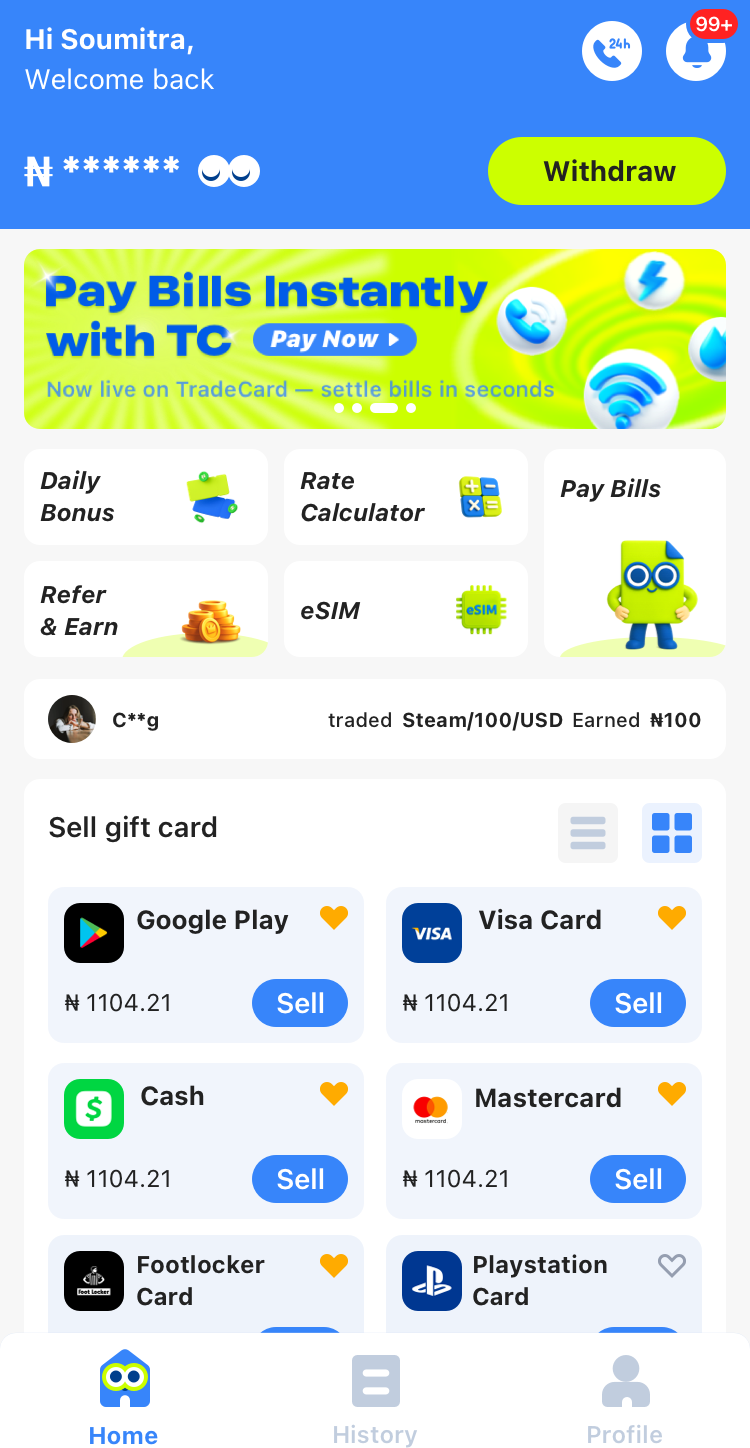
Start by clicking on the eSIM button on the TradeCard homepage. This will take you to the dedicated eSIM section where you can explore all available options.
⭐ Agree to Terms & Conditions
Click on "Get eSIM" to start the purchase process. A pop-up with terms and conditions will appear. Read them carefully and then click "Continue" to move to the next step.
⭐ Select Your Destination
You will now see a list of countries under "Select Destination". Use the search bar to quickly find the country where you want to use your eSIM. Click on your chosen country to proceed.
⭐ Choose a Data Plan
After selecting your destination, you will see all available data plans for that country. Compare the plans based on your usage needs, such as data limits and validity, and then click “Continue” after making your choice. This is one of the most important steps when you activate your eSIM.
⭐ Review Your Plan
On the "Review Your Plan" page, double-check all the details of the selected data plan, including the country, data amount, and validity. Once you are sure everything is correct, click the "Buy Now" button to proceed.
⭐ Complete the Purchase
Enter your Transaction PIN and click "Submit" The system will process your eSIM purchase. Do not leave or refresh the page while it is processing. Once complete, you will see a "Purchase Successful" message confirming your order.
⭐ Install Your eSIM
After purchase, you’ll receive a QR code or a copy-paste code. Scan the QR code or enter the code manually on your device. Make sure your phone is connected to Wi-Fi during installation for a smooth setup.
⭐ View Your eSIM
Once installed, you can see your eSIM in the TradeCard app. Each eSIM has a unique ICCID number, which helps you manage and identify it. You can start using it immediately!
⭐ Check eSIM Status:
Active: The eSIM is installed and currently in use.
Inactive: The eSIM is not installed or not being used.
Benefits of Using TradeCard eSIM for Travel
🔹 TradeCard eSIM works in over 180 countries around the world.
🔹 You can buy and activate it instantly as soon as you arrive at your destination. It only takes a few minutes.
🔹 TradeCard offers affordable data plans.
🔹 There are no extra fees; we don’t charge any platform or commission fees.
🔹 You can manage everything easily through the TradeCard app for a smooth experience.
🔹 Your previous data plan will automatically reactivate when you return to a country where it was already active.
FAQ's
- What is an eSIM?
An eSIM is a digital SIM that is built into your phone. It lets you connect to mobile networks without using a physical SIM card.
2. How does eSIM in Nigeria for travel work on TradeCard?
On TradeCard, an eSIM works by allowing users to buy, activate, and manage their eSIM directly from the app. After purchasing an eSIM, users select and top up a data plan for their chosen country. Once installed on a compatible device, the eSIM connects to supported local networks and provides mobile data without the need for a physical SIM card.
3. Does eSIM work in Nigeria?
Yes, eSIM does work in Nigeria.
4. Can You Use an eSIM With Your Regular SIM?
Yes. Most modern smartphones support dual SIM functionality, which means you can use your physical SIM (for calls and SMS) and your eSIM (for mobile data). This allows you to keep your regular number active while using an eSIM for data, avoiding roaming charges and network issues.
5. What Devices Support eSIM?
eSIM technology is supported by many modern devices, including:
1. Newer iPhone models
2. Recent Android smartphones
3. Tablets and some laptops
6. Do I need to sell my gift cards on TradeCard to activate my eSIM data plans for traveling?
Yes, you need to sell your gift cards on TradeCard to activate your eSIM data plans for traveling.